
Invoice #1200
Smith Residence
Professional invoicing that gets you paid
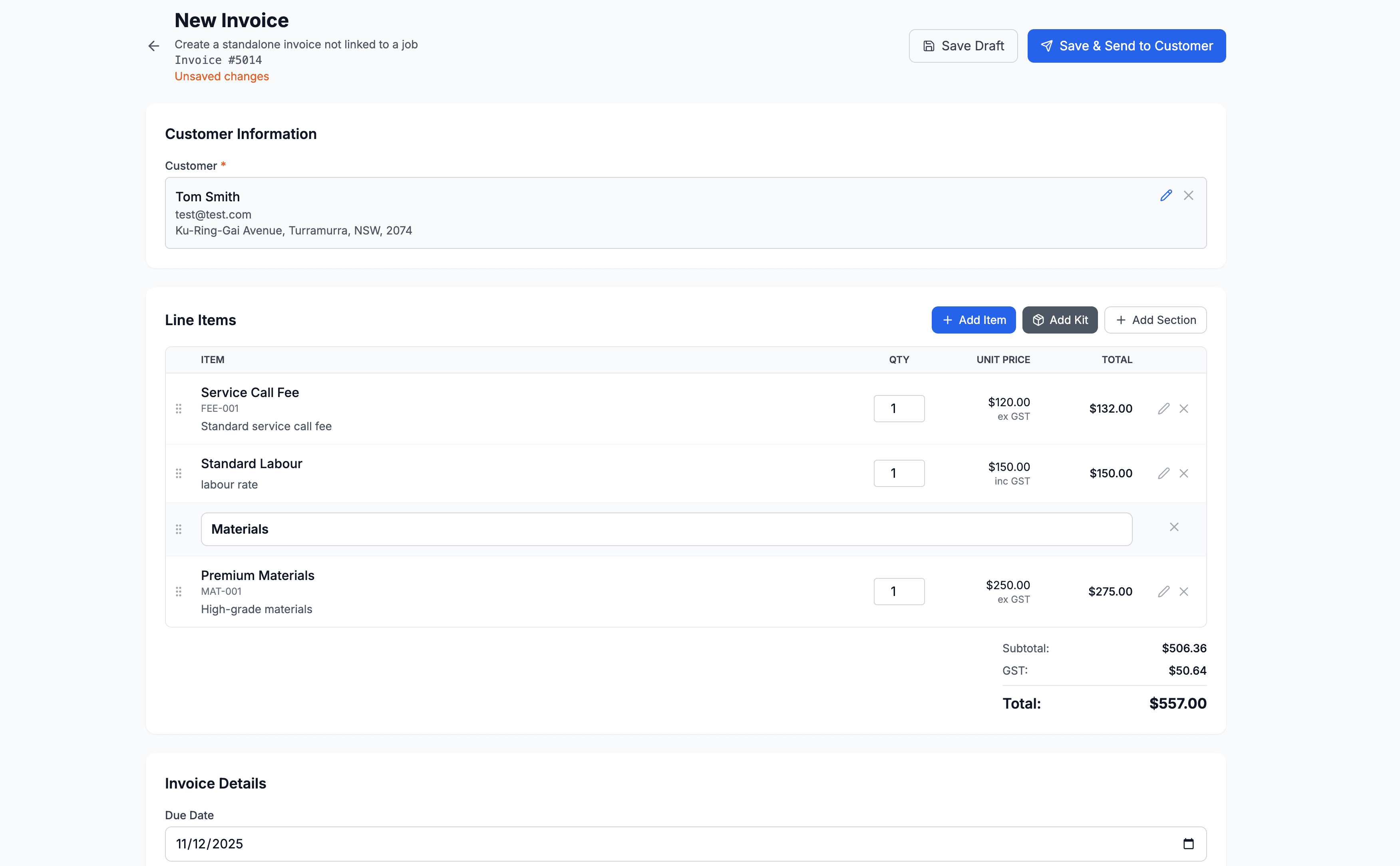
Create professional invoices linked to jobs or standalone. Automatically deduct deposits, track payments, and let customers pay online with credit card. Email invoices with a pay button for faster payment.
- Job-linked invoices (automatic numbering from job)
- Standalone invoices for ad-hoc work
- Automatic deposit deduction from quotes
- Accept credit card payments via Stripe
- Email invoices with pay button
- Track partial and full payments
Key Features
Everything you need to invoice and get paid
Job-Linked Invoices
Create invoices from jobs with automatic numbering. Invoices use job number for easy tracking.
Deposit Deduction
Automatically deduct deposits paid on quotes. Show customers their remaining balance clearly.
Online Payments
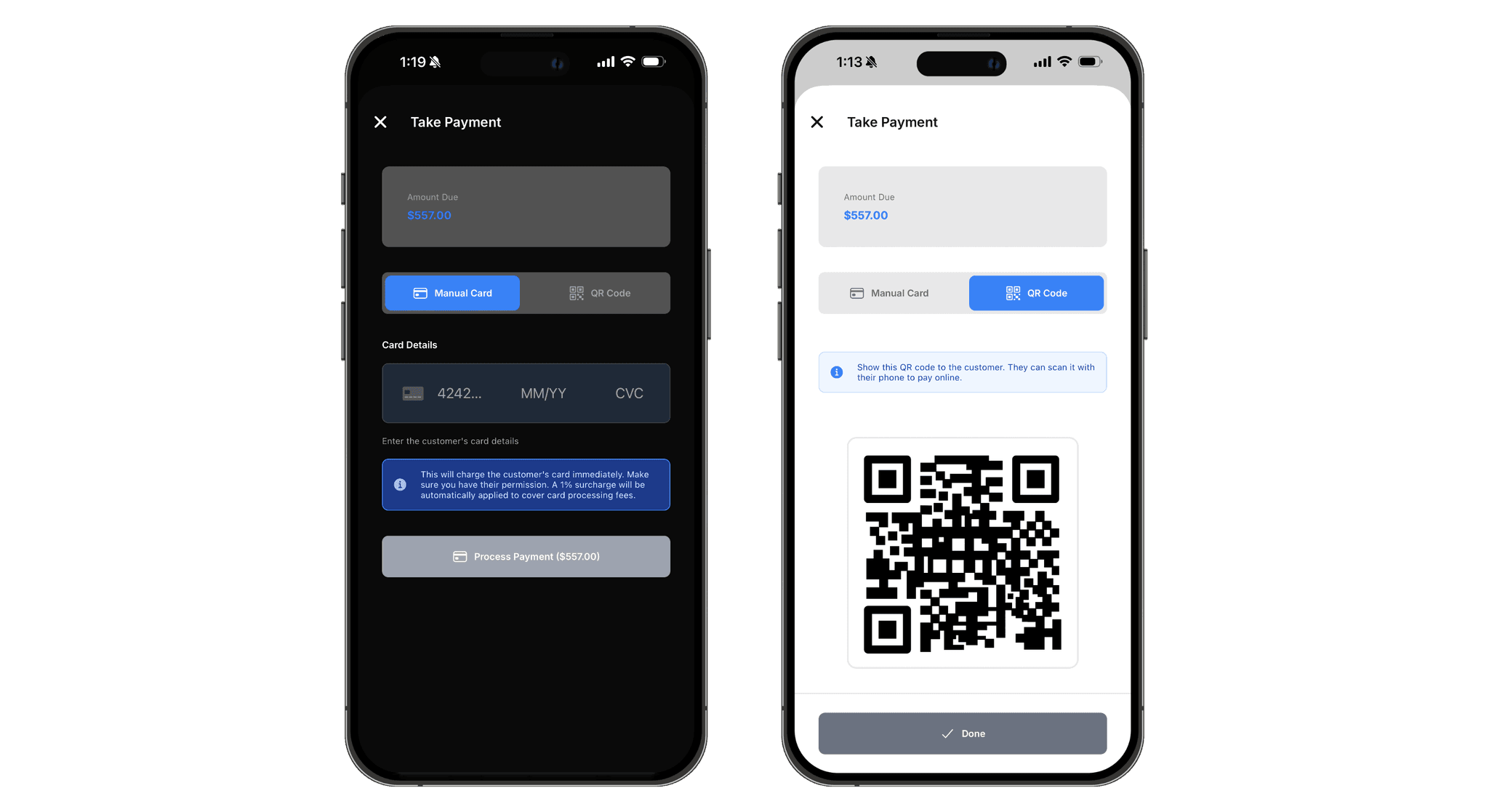
Accept credit card payments through Stripe. Customers pay directly from the invoice link.
Price List Integration
Add items from your price list or create ad-hoc lines. Use kits for faster invoicing.
See who owes you and what you haven't billed
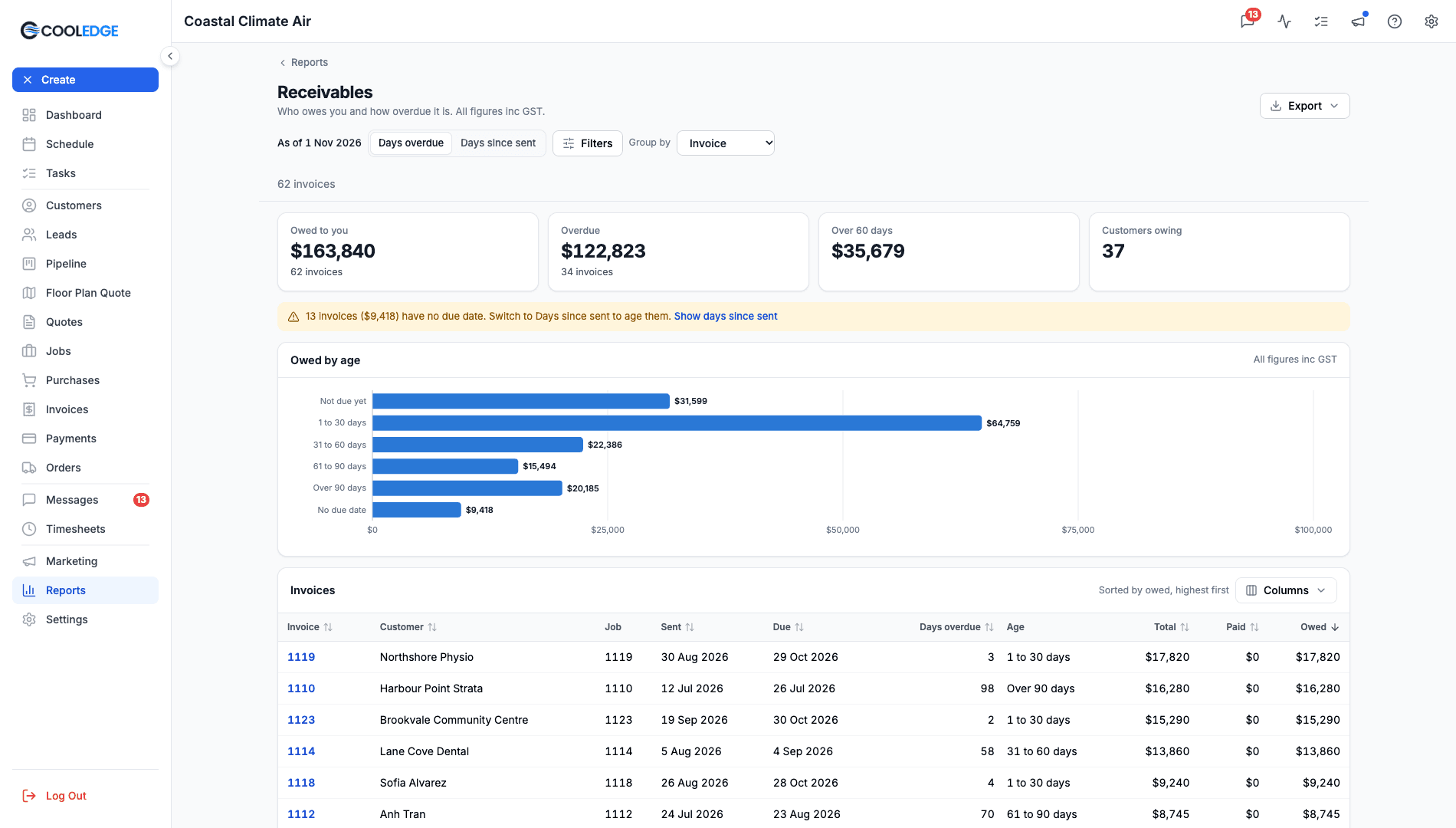
Every invoice gets a due date from your payment terms when you send it, so Overdue means overdue. Money reports then show what's owing, what came in and which finished jobs you still haven't invoiced.
Money Reports guide- Receivables aged by days overdue or days since sent
- Cash collected by day, week or month, by method or customer
- Work to invoice: finished jobs not billed yet, oldest first
- Rebates expected against paid, by provider, month or unit
- A sortable Due column on your invoice list, with part-paid invoices showing Overdue too
- The owner downloads any report as a CSV or a PDF with your logo
- Last week's cash emailed to you every Monday morning
How It Works
Create Invoice
From a job (automatic number) or standalone. Add line items from price list or custom.
Send to Customer
Email invoice with PDF attachment. Includes pay button for online payment.
Get Paid
Customer pays online via Stripe, or record manual payments (EFT, cash, card).
Ready to streamline your business?
Try free for 14 days. Create professional quotes and manage jobs in minutes.
Cancel anytime.