AAD & SAL Connection
How your orders connect to AAD through the SAL system
AAD & SAL Connection
When you send a supplier order through Cooledge, it connects directly to AAD (Australian Airconditioning Distributors) via their SAL system.
Finding Your Account Number
When setting up supplier ordering in Cooledge, you'll need your AAD/SAL account number. You can find this in the SAL portal:
- Log into your SAL account at AAD
- Your account number is displayed at the top of the dashboard
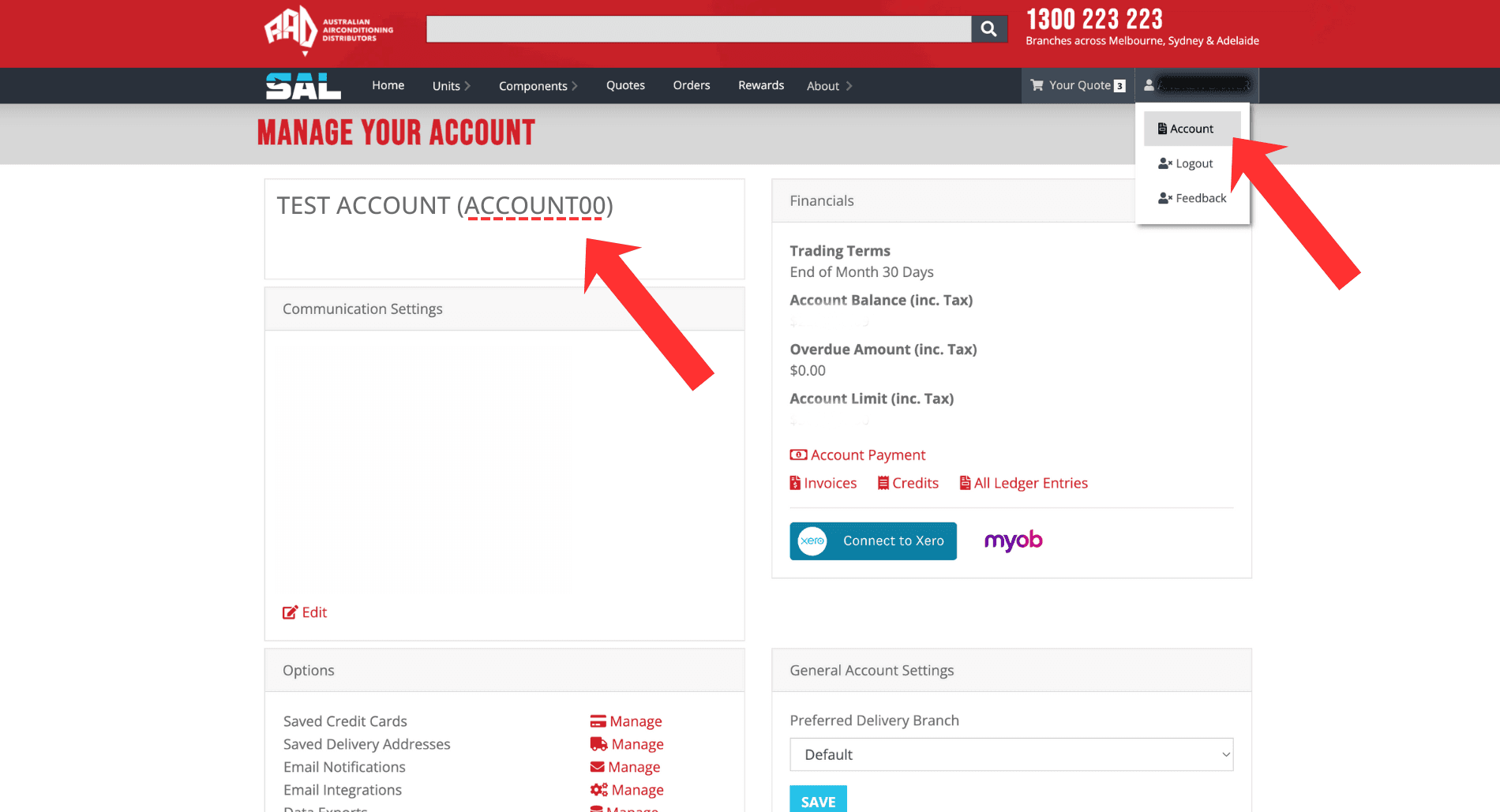
Tip: Your account number is required when linking your existing AAD account to Cooledge for supplier ordering.
What is SAL?
SAL is AAD's online ordering and account management portal. When you send an order from Cooledge, it lands in your SAL account where you can review, approve, and track it.
How It Works
- You send an order from Cooledge (via the Takeoff Editor)
- Order arrives in SAL under your linked account
- Review and approve the order in SAL
- AAD processes and prepares your materials
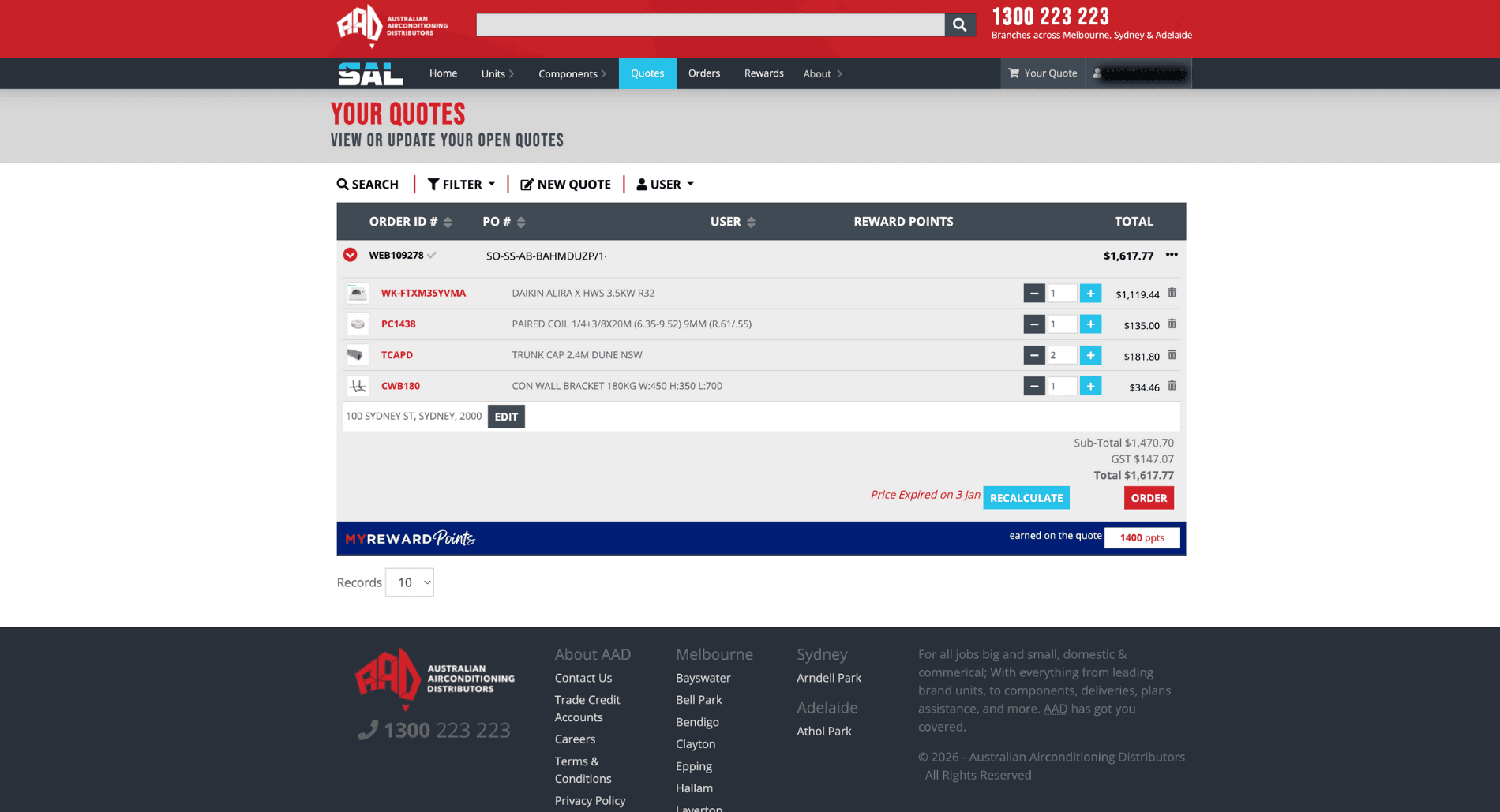
Approving Orders in SAL
After sending an order from Cooledge, log into your SAL account at AAD to:
- Review the order details
- Confirm pricing on your account
- Approve the order for processing
- Track delivery or pickup status
Note: Orders sent from Cooledge still need to be approved in SAL before AAD will process them.
Linking Your Accounts
When you set up your supplier account in Cooledge, you'll enter your existing AAD account number or apply for a new one. This links your Cooledge orders directly to your SAL account.
If you're having trouble with the connection, check that:
- Your AAD account number is correct in Cooledge
- Your account is approved (not pending)
- You're using the same state for both accounts
Need Help?
AAD Support: Contact AAD directly for SAL login issues or order processing questions.
Cooledge Support: Email us at support@cooledge.com.au for help with sending orders from Cooledge.
Related: Supplier Ordering Guide - Full guide to creating and sending orders
Was this article helpful?
Let us know if you found this information useful.
Still need help? Contact support
In this article
Use your browser's search (Ctrl+F) to quickly find specific topics within this article.
Browse all help articles →