
Quote painting, flooring, tiling and carpet from a floor plan
Measure Quote turns a floor plan into an itemised quote in minutes. Floors, walls and ceilings are measured for you. Built for painting, flooring, tiling, carpet and underfloor heating.
Start Free TrialBuilt for trades that quote by the square metre
Upload a floor plan, group the rooms and send an itemised quote in minutes. Cooledge measures the rooms from the plan and builds the line items from your price list, your prices and your terms.
- AI room detection for painting, flooring, tiling, carpet and underfloor heating
- Floors, walls, ceilings and perimeters measured for you
- Materials picked once per group from your price list
- Wastage and wall openings worked out automatically
Detect rooms automatically
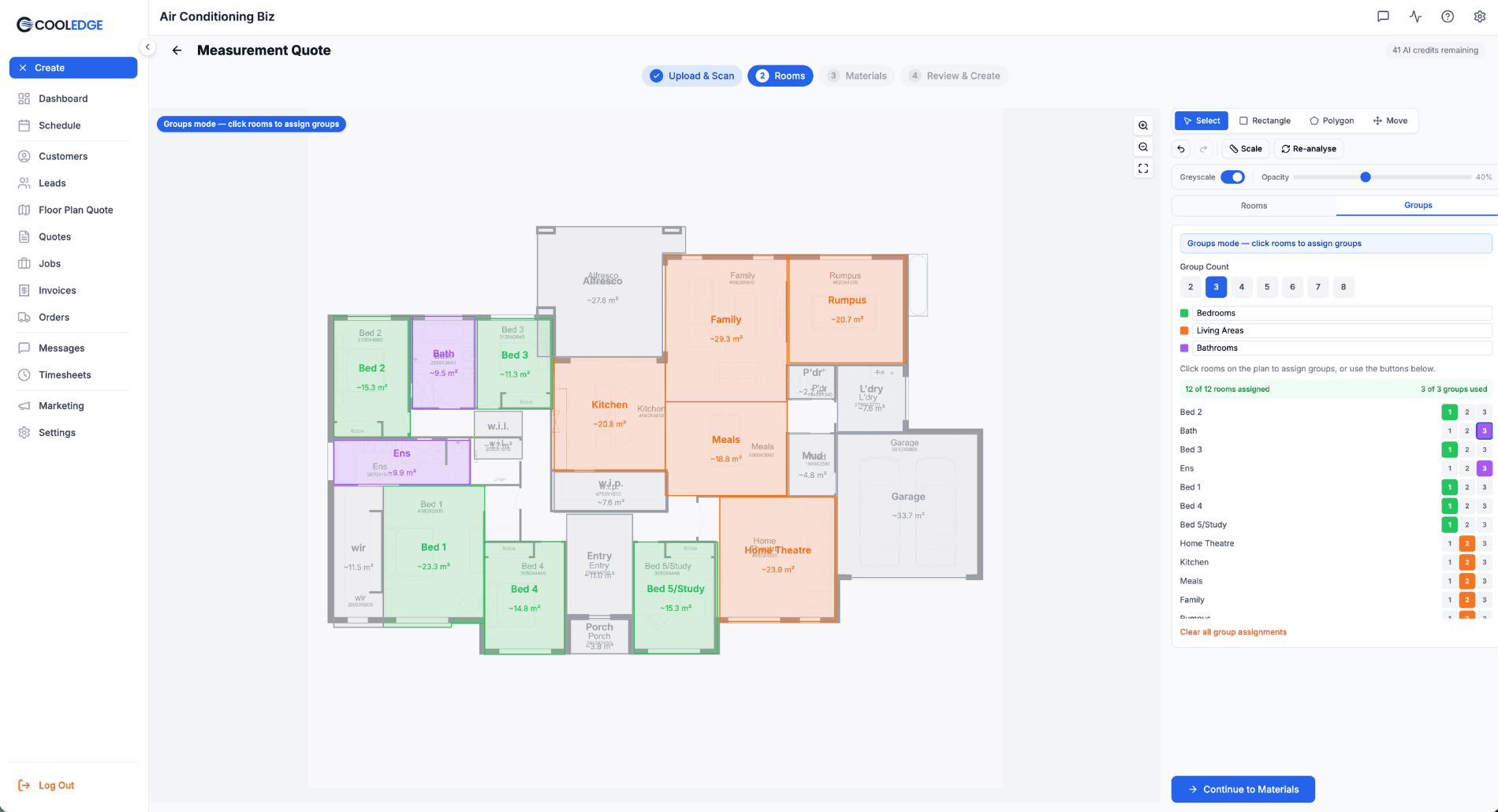
The same AI floor plan scanner used for ducted quotes runs on painting, flooring, tiling, carpet and underfloor heating jobs. Upload a plan and Cooledge finds the rooms and measures them. Measured on site already? Type the room sizes in or draw the rooms on a blank canvas.
- AI detection from uploaded floor plans
- Up to 5 floors in one plan, basements included
- Type room sizes in or draw on a blank canvas
Floors, walls and ceilings, measured
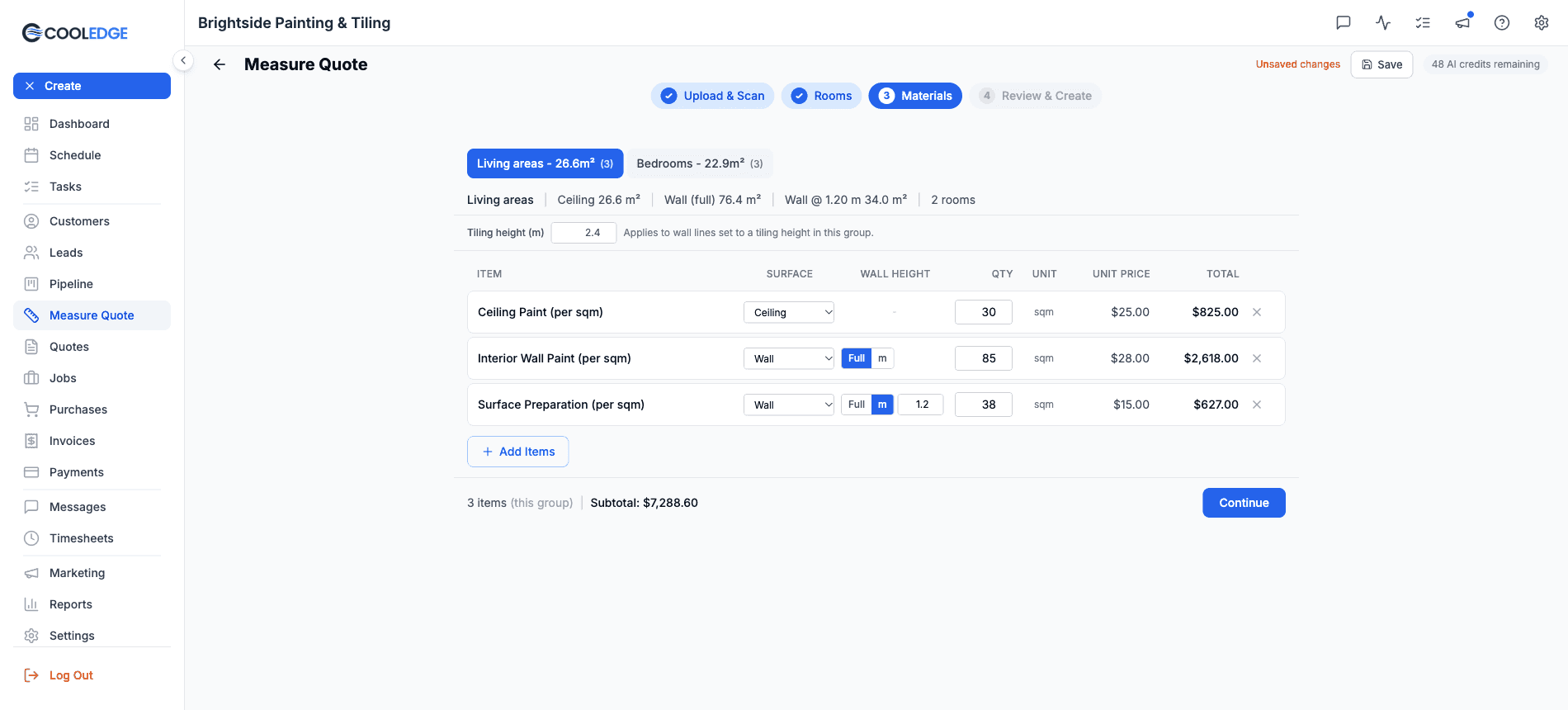
Pick materials from your price list once per group and Cooledge fills in the quantities. Each line is measured against floor area, wall area, ceiling area, perimeter or each, with wastage added. Painting businesses start with wall paint, ceiling paint and surface prep already set to measure walls and ceilings. Tilers run wall tiles to the ceiling or to a tiling height set per group.
- Floor, wall, ceiling, perimeter or each, set per item and per line
- Wall areas measured room by room from the ceiling height
- Wall tiles to full height or a tiling height per group
- Type over any quantity when the job needs it
Save it, reopen it, update the quote
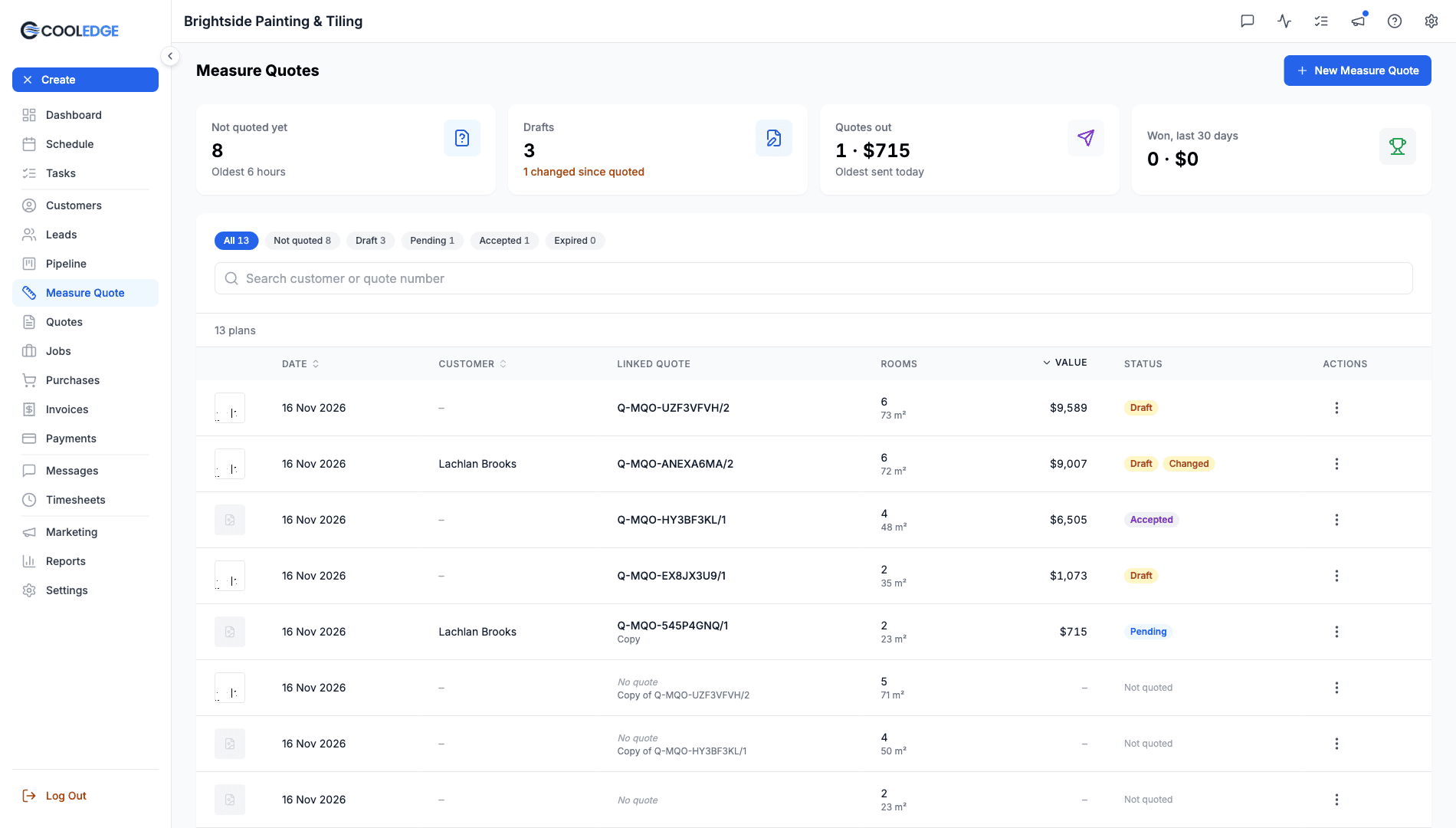
Save a plan and pick it up again from the Measure Quotes list. Each plan keeps one quote. When the customer changes their mind, change the plan and click Update quote. The quote number stays the same and only the Measure lines and plan images are replaced.
- Every plan in one list, with search by customer or quote number
- Update quote keeps the quote number, other options and photos
- Changed plans are flagged and cannot be sent until updated
- Sent quotes lock the plan. Unlock it to edit or clone it as new
Set your defaults once
Measure Quote Defaults set the wastage, ceiling height and wall opening allowance every new plan starts with. Tilers set a default tiling height too. Default items land in every group with their quantities worked out. You can still change a floor's ceiling height or type over a quantity when the job is different.
- Wastage, ceiling height and wall openings set once
- A default tiling height for tiling businesses
- Default items added to every group
- Change heights and quantities on any job
Five trades, one quoting tool
Purpose-built support for the trades that quote by the square metre
Painting
Walls, ceilings and prep
Flooring
Hardwood, laminate and vinyl
Tiling
Floor and wall tiling
Carpet
Carpet with underlay
Underfloor Heating
Electric or hydronic
Powerful Features Under the Hood
Everything you need to go from a floor plan to an itemised quote, without leaving Cooledge
AI Floor Plan Detection
Upload a floor plan and Cooledge finds the rooms and works out their areas in square metres. There is no heat load step, so you go straight to the quote.
- Works with builder plans, PDFs and photos of printed plans
- Up to 5 floors in one plan, basements included
- Draw the rooms on a blank canvas if you have no plan
- Type room sizes in if you measured with a tape
Group Rooms the Way You Price
Put each room in a group (bedrooms, living areas, wet areas or whatever suits the job). Each group gets its own materials and its own price.
- Up to 8 groups per plan
- Colour-coded groups shown on the floor plan
- Pick materials once per group, not once per room
- Groups flow through to the itemised quote structure
Price List and Custom Items
Add materials from your price list or create a custom item on the spot. Quantities fill in from each group's floor, wall or ceiling area with your wastage added.
- Search your price list and filter by category
- Tick Save to price list to keep a custom item for next time
- Default items added to every group automatically
- Mark items as optional so customers can opt in
Full Editable Quote Output
The quote opens in the standard quote editor with line items already grouped and priced. Edit anything, add kits or items and send it with the coloured floor plan attached. Change the plan later and Update quote refreshes the same quote.
- A quote section for each room group
- Attach the coloured floor plan to the quote PDF
- Update quote keeps the quote number, other options and photos
- Changed plans are flagged before the quote is sent
Want just this, on its own?
Cooledge Designer turns a floor plan into a ducted quote in minutes, on its own subscription. From $49 per user / month.
Ready to streamline your business?
Try free for 14 days. Create professional quotes and manage jobs in minutes.
Cancel anytime.